How to Enjoy Digital Entertainment Without Losing Track of Your Budget

How Much Are You Really Spending on Digital Entertainment?
Streaming subscriptions, mobile games, music services and online entertainment can all look inexpensive when viewed as separate monthly payments. The problem begins when several small charges leave your account at different points of the month, making the true total much harder to spot.
What feels like a few pounds here and there can add up to a substantial part of your disposable income.
Gambling-related websites add another level of financial risk because spending isn’t always limited to a predictable subscription fee.
Some comparison websites promote options such as trusted slots not on GamStop, but consumers should understand what that description means before following any recommendation.
Sites outside GamStop may also fall outside the protections that apply to businesses licensed by the Gambling Commission in Great Britain.
Managing digital entertainment doesn’t mean cancelling everything you enjoy. It means knowing
what you’re paying for, deciding what you can afford, and setting limits before spending starts.
Start by Finding Out What You Really Spend
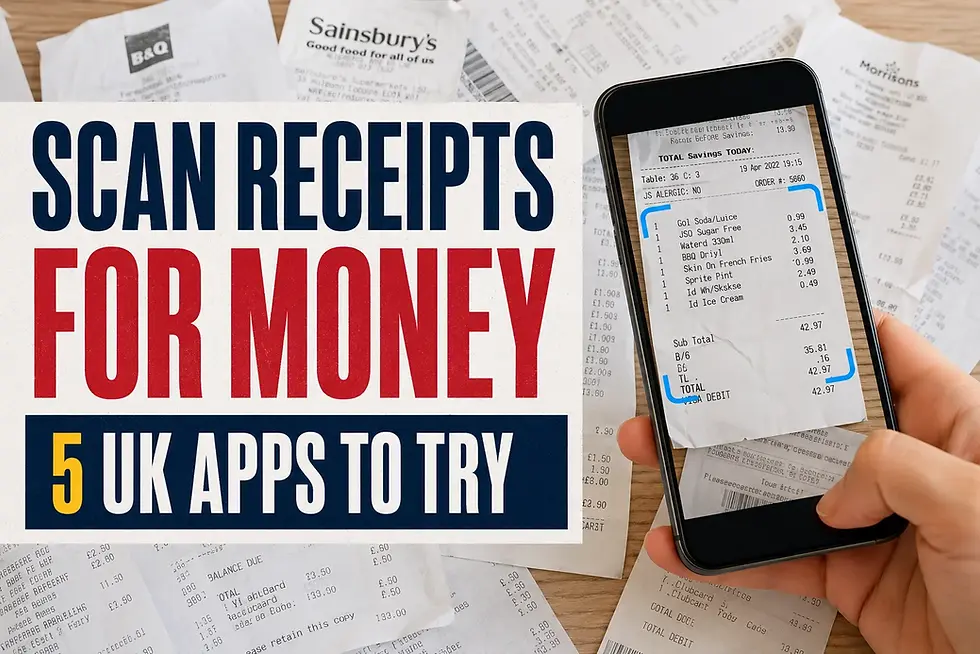
The best place to begin is with your bank statements, rather than trying to remember every service you use. Review at least 2 or 3 months because annual subscriptions, free trials and occasional app payments may not appear every month.
MoneyHelper recommends using bank statements, bills and banking apps when building a budget because accurate figures give you a clearer picture of where your money is going.
Look for streaming platforms, music subscriptions, gaming passes, app-store payments, digital newspapers, cloud storage and sports packages. Gambling deposits should be listed separately rather than hidden inside a broad entertainment category. This makes it easier to see whether gambling spending is increasing or affecting money intended for bills.
Remember to check PayPal, Apple, Google Play and any other digital wallets you use. A payment may appear under the wallet provider’s name rather than the service you bought, which can make forgotten subscriptions harder to recognise.
Calculate the Annual Cost, Not Just the Monthly Price
Monthly prices are designed to look manageable, but the yearly figure gives you a better measure of value. A service costing £9.99 a month takes almost £120 from your budget over a full year. Three or four similar subscriptions can therefore cost several hundred pounds.
Write down each service, its billing date and its annual cost. You can then compare that figure with how often you actually use it. A service used several times a week may offer reasonable value, while one opened twice in 6 months probably doesn’t.
MoneyHelper also suggests auditing bank statements and cancelling subscriptions you no longer need. Its free budget planner can help you compare entertainment spending with housing, food, travel and other household costs.
Set an Entertainment Budget You Can Maintain
An entertainment budget should come from money left after essential bills, debt payments and regular savings. Setting an unrealistic figure may work for a week or two, but it is unlikely to hold up during a stressful month or a new programme you want to watch. Choose an amount that reflects your income and the entertainment you genuinely value.
You may find it useful to divide the total between different categories. For example, you could allocate separate amounts for streaming, gaming, social activities and other digital purchases. Gambling shouldn’t be funded from money needed for food, rent, energy, transport, debt repayments or savings.
MoneyHelper suggests placing personal spending money in a separate account. Once that money has been used, you have a clear stopping point without risking the account used for household bills.
Use a Separate Account or Digital Pot
A separate current account, prepaid card or banking pot can make digital spending easier to control. Transfer your chosen entertainment allowance after payday and use only that money for non-essential services. Don’t link your main bill account to gaming or entertainment platforms unless there is a good reason.
This approach also makes your transactions easier to review. Instead of searching through grocery shops, Direct Debits and household payments, you can see your entire entertainment spend in one place. It won’t remove every temptation, but it creates a visible boundary.
Avoid using an overdraft, a credit card, or a buy now, pay later service to cover digital entertainment. Borrowing turns a temporary purchase into a longer-term cost and may add interest or fees.
Review Free Trials Before They Become Paid Subscriptions
Free trials are useful when you genuinely want to test a service, but they often require payment details before you can access it. If you forget to cancel, the trial may convert to a monthly or annual charge without any further action from you.
Add the expiry date to your calendar as soon as you register. Set the reminder several days before the trial ends, so you have time to decide whether the service is worth keeping. Cancelling immediately may still allow access until the trial period expires, although you should check the provider’s terms.
Be wary of taking out several trials at once. It becomes harder to judge which service you are using, and several payments may begin in the same week.
Rotate Streaming Services Instead of Keeping Them All
You don’t need to subscribe to every streaming platform throughout the year. Keeping one or two services at a time and switching when you’ve watched the programmes you wanted can reduce the annual cost considerably. Your watchlist will still be there when you return, subject to the provider’s catalogue changes.
Before cancelling, check whether you are on a discounted or discontinued plan that you couldn’t regain later. You should also check for cancellation fees, particularly with sports packages and longer contracts. Monthly services are usually easier to rotate than annual plans.
Some subscriptions allow households to share access within their terms. Check the rules rather than assuming an account can be divided between friends or relatives living elsewhere.
Put a Delay Between Wanting Something and Buying It
App purchases are easy to make because the payment process removes most of the friction. Stored card details and one-tap purchasing can turn a passing thought into an immediate charge. Adding a delay gives you time to decide whether you still want the item.
For non-essential purchases, wait 24 hours before paying for extra game credits, downloadable content or digital upgrades. Remove stored card information where practical and require a password or biometric check for every purchase. Parents should also enable approval settings on devices used by children.
The delay matters most when an app uses limited-time offers or countdowns. A deadline may create a sense of urgency, but missing a cosmetic item or a temporary bonus rarely changes the basic game.
Treat Gambling Differently From Other Entertainment
Gambling spending needs tighter boundaries because the cost isn’t fixed like a subscription. A streaming service can charge a fixed monthly amount, whereas a gambling session can continue until the player either stops or the money runs out. Wins can also encourage further spending rather than ending the session.
Set a maximum amount before opening a gambling website or app, and never increase it to recover losses. GamCare defines chasing losses as repeatedly gambling to win back money already lost, which can cause financial harm to grow.
Gambling should never be treated as income, an investment or a way to solve money problems. Any amount used must be money you can afford to lose in full without affecting your household.
Understand the Risks of Non-GamStop Sites
GamStop blocks registered users from accessing gambling accounts with businesses licensed in Great Britain. All licensed online operators are required to participate in the scheme, and users can choose an exclusion period ranging from 6 months to 5 years, with an auto-renewing option.
A gambling website that accepts British players while operating outside this system may not offer the same consumer protections. The Gambling Commission has warned about unlicensed sites blocking withdrawals, setting unattainable withdrawal conditions and creating risks around personal data, identity theft and fraud.
Before using any gambling service, search for the business on the Gambling Commission’s public register. A professional-looking website, a UK-facing promotion, or a familiar payment method doesn’t prove that the operator is licensed.
Anyone who has registered with GamStop shouldn’t use offshore or non-participating sites to bypass that decision. The exclusion was put in place for a reason, and seeking a workaround may indicate that further support is needed.
Learn to Recognise Gambling Harm
Financial harm doesn’t always begin with a dramatic loss. It may start with thinking about gambling more often, increasing deposits, hiding transactions or feeling unable to stop at a planned limit. GamCare lists preoccupation with gambling and withdrawing from usual interests or relationships among the warning signs to watch for.
Other signs include chasing losses, borrowing money to gamble, lying about spending and feeling anxious or guilty afterwards. A person may also begin using gambling to escape stress or financial pressure. At that stage, another budgeting spreadsheet is unlikely to solve the underlying problem.
GamStop can block access to licensed online gambling businesses, while GamCare provides confidential advice and treatment. Blocking software and bank gambling blocks may create another layer of protection alongside self-exclusion.
Check Your Entertainment Spending Every Week
A weekly review is more useful than discovering a problem at the end of the month. Open your banking app, check your entertainment account and compare the remaining balance with the number of days until payday. This should only take a few minutes once the system is established.
Look for patterns rather than judging a single transaction. You may spend more on games at weekends, order films when you are bored or sign up for services after seeing social media adverts. Recognising the trigger makes it easier to change the habit.
Make small corrections early. Pausing a subscription, skipping an in-game purchase or reducing next weekend’s budget can stop a minor overspend from affecting essential bills.
Decide Which Entertainment Is Actually Worth Paying For
The aim isn’t to remove every enjoyable expense. A subscription used daily may offer better value than several cheaper services you rarely open. The useful question is whether each payment still earns its place in your budget.
Review your services every few months and cancel anything you no longer use. Keep the entertainment that gives you value, set firm limits on variable spending, and avoid paying with money reserved for essentials.
Digital entertainment should fit around your finances rather than controlling them. Once you know the real annual cost, the decision to keep, cancel or reduce a service becomes much easier.
Frequently Asked Questions
How much should I budget for entertainment each month?
There is no fixed amount that suits every household. Cover essential bills, debts and savings first, then choose an entertainment allowance that you can afford without borrowing.
How can I find subscriptions I have forgotten about?
Review several months of bank statements, card transactions, PayPal activity and app-store payments. Search for recurring charges and check whether free trials have converted into paid plans.
Is it better to pay for streaming monthly or annually?
Annual plans can cost less, but only when you expect to use the service for the full year. Monthly plans offer more flexibility and make it easier to rotate between platforms.
What is GamStop?
GamStop is a free self-exclusion service that blocks registered users from online gambling businesses licensed in Great Britain. Exclusion periods currently range from 6 months to 5 years, with an auto-renewing option available.
Are non-GamStop gambling sites licensed in the UK?
A non-GamStop site isn’t licensed by the Gambling Commission if it is genuinely operating outside the scheme. Consumers should check the Commission’s public register and avoid gambling businesses that aren’t authorised to serve customers in Great Britain.
Where can I get help with gambling?
GamCare provides confidential information and support, while GamStop can block access to licensed gambling websites and apps. Contact support early if gambling is affecting your finances, wellbeing or relationships.